
Sources checked
Off-grid power and internet access are different decisions
A home without a grid-electricity connection can still use an internet provider. You need an available service, a plan suitable for the location and intended use, compatible equipment, dependable local power, and a realistic backup. Wi-Fi is the local connection between your devices and router; it does not by itself provide internet access.
Begin with actual tasks: video meetings, uploading files, remote access, routine browsing, education, or occasional messaging. A connection that supports one person checking email may not support several simultaneous work calls. Write the important tasks and acceptable interruptions before comparing marketing headlines.
Use availability maps as a starting point
In the U.S., the FCC National Broadband Map shows providers reporting fixed service at a location, including wired, fixed wireless, and satellite technologies. It also provides a separate mobile coverage map and a process for challenging incorrect information. Check the map’s data date and the exact location.
The FCC explains that mobile coverage information concerns outdoor or in-vehicle connectivity rather than indoor coverage. Verify availability with providers and conduct on-site tests where your equipment will actually operate. A reported maximum advertised speed or a colored map area is not a measurement of the connection your household will receive.
Compare the services that really exist at the site
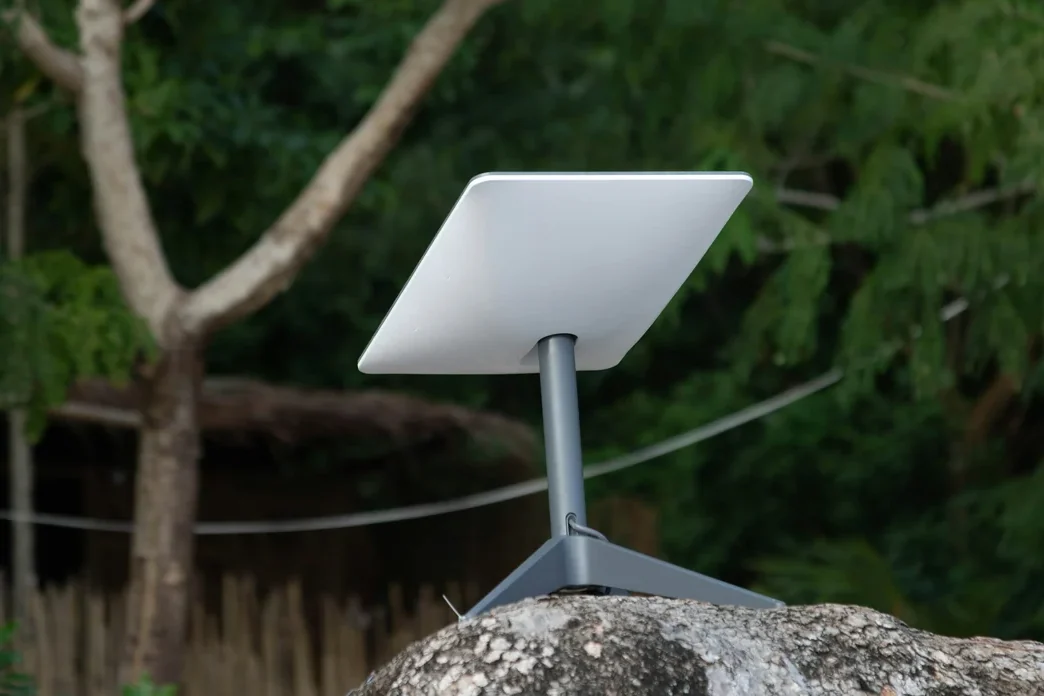
A cellular hotspot or cellular home service can be worth testing if coverage and the plan support your location and use. A fixed-wireless provider may need a site survey and suitable reception at an approved mounting point. Satellite can be another option where offered, with provider-specific installation, sky-view, power, and plan requirements. An available wired connection may still be practical even when household power is independently supplied.
For each candidate, request written information about the exact address, equipment and installation, ongoing price, data terms, typical download and upload performance, latency, use restrictions, support, cancellation, and any location or portability limits. Plans, availability, and hardware change; compare current provider information rather than relying on old package names or prices.
Run a task-based test, not one speed test
Test at the actual equipment location and during the hours you intend to work, including a busy evening if relevant. Try a real video meeting, file upload, and any required remote-work software. Note interruptions, reconnect time, latency-sensitive behavior, and how the service performs with other household devices active.
Record the date, time, placement, weather where relevant, plan, device, and result. A temporary trial can expose a mounting or coverage problem before permanent spending. If your workplace requires a VPN or specific security setup, test it and ask the employer’s technical team about requirements. Confirm installation terms and safe mounting with the provider rather than improvising rooftop access.
Add communication equipment to the energy ledger
Measure the router, modem, antenna, or satellite terminal’s actual consumption, including relevant operating modes, rather than assuming a universal wattage. Continuous operation turns even a modest power draw into a substantial daily energy demand. Include any conversion losses and permitted operating requirements in the wider electrical design.
For arithmetic only, suppose measured communication equipment averages 20 watts and operates for 24 hours: 20 × 24 = 480 watt-hours, or 0.48 kilowatt-hours per day, before any separately accounted conversion losses. If its average were 40 watts, the same schedule would need 0.96 kilowatt-hours. These hypothetical loads are not specifications for any current product.
Choose a backup that does not repeat the same failure
Compare what makes each route fail: local equipment power, physical damage, provider outage, poor reception, or a service limitation. Two plans using the same vulnerable infrastructure may provide less independence than expected. Check whether a second provider or a separate communication route can support the essential task at the site.
Document what remains possible during an electrical failure and how the equipment is powered by the approved backup. Keep needed contacts and work procedures available offline. If remote work is essential, identify a practical alternate work location and the condition that triggers using it. A backup is useful when its task and limitations are understood before an outage.
FAQs and mistakes that cause disappointment
Is satellite always the best remote option? Compare current availability and actual performance with the other services at the location. Does unlimited mean unrestricted? Read the provider’s complete current terms. Will an external antenna fix poor service? Only a provider-compatible, suitable installation and on-site assessment can answer that for your equipment.
Avoid shopping by download speed alone, ignoring uploads and latency, confusing indoor Wi-Fi strength with upstream connectivity, or leaving equipment out of the battery budget. Confirm each important work task, location, plan, and failure response before treating the connection as dependable household infrastructure.
Sources & further reading
Official guidance and original source material used for the factual points in this guide. Planning examples and worksheets are our own illustrations.
- FCC: How to use the National Broadband Map
- U.S. Department of Energy: Solar energy and storage basics
Checked 8 October 2026. Location-specific rules, availability and product specifications can change. Suggest a correction.